
CSS Image Gallery
ஒரு CSS பட கேலரி என்பது ஒரு வலைப்பக்கத்தில் ஒழுங்கமைக்கப்பட்ட, பெரும்பாலும் பதிலளிக்கும் வழியில் காட்டப்படும் படங்களின் தொகுப்பாகும்.
இங்கே நாம் ஒரு பட கேலரியை உருவாக்க CSS ஐப் பயன்படுத்துகிறோம்:

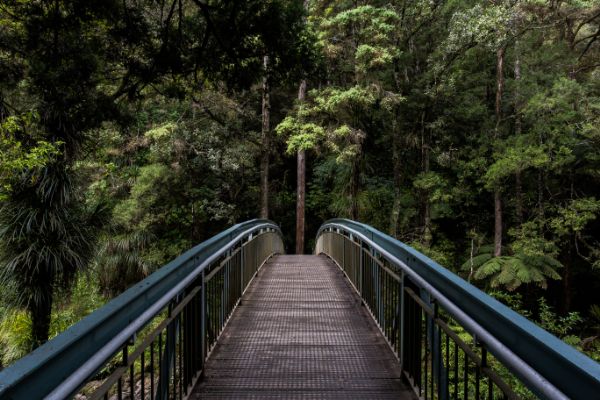
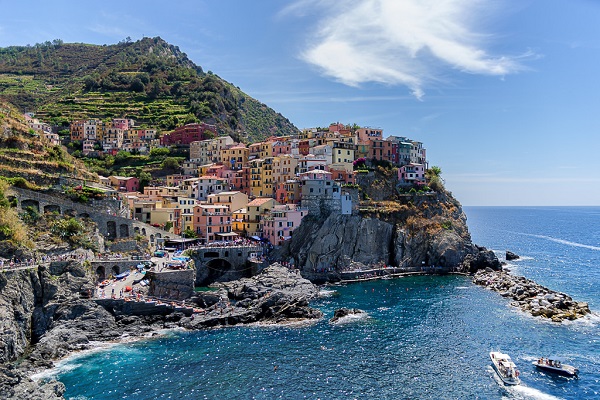
ஒரு பட கேலரிக்கான HTML அமைப்பு:
- முழு கேலரியையும் மூடும் ஒரு கொள்கலன் உறுப்பு (class="gallery" உடன் ஒரு
<div>போன்றது). - ஒவ்வொரு படத்திற்கும் மற்றொரு கொள்கலன் உறுப்பு (class="gallery-item" உடன் ஒரு
<div>போன்றது), இது<img>குறிச்சொல்லையும் சாத்தியமான விளக்கத்தையும் கொண்டுள்ளது.
HTML and CSS Code
இங்கே HTML மற்றும் CSS குறியீடு உள்ளது:
Example
<html>
<head>
<style>
div.gallery {
  display: flex;
  flex-wrap: wrap;
  justify-content: flex-start;
}

div.gallery-item {
  margin: 5px;
  border: 1px solid #ccc;
  width: 180px;
}

div.gallery-item:hover {
  border: 1px solid #777;
}

div.gallery-item img {
  width: 100%;
  height: auto;
}

div.gallery-item div.desc {
  padding: 15px;
  text-align: center;
}
</style>
</head>
<body>

<div class="gallery">

<div class="gallery-item">
  <a target="_blank" href="img_5terre.jpg">
    <img src="img_5terre.jpg" alt="Landscape 1" width="600" height="400">
  </a>
  <div class="desc">Landscape 1</div>
</div>

<div class="gallery-item">
  <a target="_blank" href="img_forest.jpg">
    <img src="img_forest.jpg" alt="Landscape 2" width="600" height="400">
  </a>
  <div class="desc">Landscape 2</div>
</div>

<div class="gallery-item">
  <a target="_blank" href="img_lights.jpg">
    <img src="img_lights.jpg" alt="Landscape 3" width="600" height="400">
  </a>
  <div class="desc">Landscape 3</div>
</div>

<div class="gallery-item">
  <a target="_blank" href="img_mountains.jpg">
    <img src="img_mountains.jpg" alt="Landscape 4" width="600" height="400">
  </a>
  <div class="desc">Landscape 4</div>
</div>

</div>

</body>
</html>உதவிக்குறிப்பு:
மேலே உள்ள பட கேலரிக்கு நாங்கள் display: flex; பயன்படுத்தியுள்ளோம். வரிசைகள் அல்லது நெடுவரிசைகளில் படங்களை வரிசைப்படுத்த இந்த லேஅவுட் தொகுதி பயனுள்ளதாக இருக்கும். CSS டுடோரியலில் பின்னர் CSS Flexbox பற்றி மேலும் அறிந்து கொள்வீர்கள்.
CSS Responsive Image Gallery
வெவ்வேறு திரை அளவுகளில் படங்களை மீண்டும் வரிசைப்படுத்த CSS media queries ஐப் பயன்படுத்துகிறோம்:
- திரை 768px அகலத்தை விட பெரியதாக இருந்தால் - நான்கு படங்களை ஒரே நேரத்தில் காட்டு
- திரை 768px ஐ விட சிறியதாக இருந்தால் - இரண்டு படங்களை ஒரே நேரத்தில் காட்டு
- திரைகள் 480px ஐ விட சிறியதாக இருந்தால் - படங்களை செங்குத்தாக அடுக்கு (width: 100%)
உதவிக்குறிப்பு:
CSS டுடோரியலில் பின்னர் media queries பற்றி மேலும் அறிந்து கொள்வீர்கள்.
இந்த எடுத்துக்காட்டு பதிலளிக்கும் கேலரியைக் காட்டுகிறது. திரையின் அகலத்தை மாற்றி படங்கள் எவ்வாறு மீண்டும் வரிசைப்படுத்தப்படுகின்றன என்பதைக் கவனிக்கவும்.
CSS Grid Image Gallery
CSS Grid ஐப் பயன்படுத்தி மேலும் நவீன பட கேலரியை உருவாக்கலாம்:
குறிப்பு:
CSS Grid மிகவும் சக்திவாய்ந்த இரண்டு-பரிமாண லேஅவுட் அமைப்பாகும், இது வரிசைகள் மற்றும் நெடுவரிசைகளுடன் வேலை செய்ய உதவுகிறது. இது சிக்கலான கேலரி லேஅவுட்களுக்கு சிறந்தது.